
























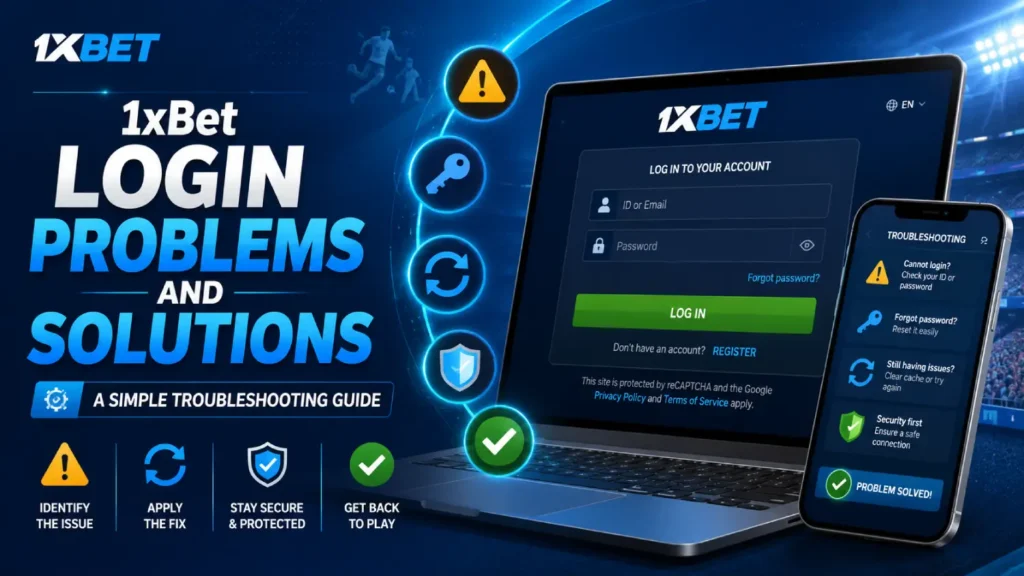
Having trouble signing in to your account can be frustrating, especially when the reason is not immediately clear. You may enter your details correctly and still see an error, receive no verification code or find that the login page does not load.
Most login issues, however, are caused by a small number of common problems. These may include an incorrect password, the wrong account ID, an outdated app, browser data or an account security check. Hence, it is necessary to analyse and assess the common 1xBet login problems and solutions for a seamless gaming experience.
This guide covers the most common 1xBet login problems and solutions in simple language. It also explains when you should stop trying to fix the issue yourself and contact the platform’s official support team.
Common 1xBet Login Problems at a Glance
Here are some of the issues users may experience:
- Incorrect account ID or password
- Forgotten password
- Verification code not received
- Login page not loading
- App opening but login not working
- Temporary account restriction
- Account registered with a different method
- Browser cache or cookie problems
- Incorrect phone number format
- Identity verification pending
- Suspicious or unofficial login page
Start with the simplest 1xBet login problems and solutions checklist before resetting your password or contacting support. This can save time and prevent unnecessary account restrictions.
1. Incorrect Account ID or Password
Entering the wrong login information is one of the most common reasons an account cannot be opened.
The official login form currently asks for an email address or account ID together with the password.
Check the following before trying again:
- Make sure Caps Lock is turned off.
- Remove accidental spaces before or after the email address.
- Check whether your phone has automatically changed a letter or number.
- Confirm that you are using the correct email address or account ID.
- Type the password manually instead of relying on autofill.
Passwords are case-sensitive. This means that uppercase and lowercase letters are treated differently.
For example, Password123 and password123 are not the same password.
Avoid making repeated guesses. Too many failed attempts may trigger an additional security check or a temporary login restriction.
2. Forgotten 1xBet Password
Forgetting a password does not necessarily mean that the account has been lost.
Select the Forgot your password? option on the official login page. The official password-recovery page currently asks users to enter the email address used during registration and then sends a recovery code.
After receiving the code:
- Enter it on the recovery page.
- Create a new password.
- Confirm the new password.
- Return to the login page.
- Sign in using the updated details.
Choose a password that is difficult for another person to guess. Do not reuse a password already connected with your email, banking account or social media profile.
A strong password should contain a mixture of letters, numbers and symbols. Avoid obvious choices such as your name, birth date or phone number.
3. Password Reset Email Not Received
A password-reset message may take a few minutes to arrive. Do not request several codes immediately because the latest code may replace the earlier ones.
Try these checks:
- Open the spam or junk folder.
- Search your inbox for “1xBet.”
- Confirm that you entered the registered email address.
- Check whether the email account has enough storage.
- Wait a few minutes before requesting another code.
- Add the sender to your safe-senders list when appropriate.
You may be checking the wrong email account. Think about which address you used when registering.
When the recovery message still does not arrive, contact official customer support rather than creating another account.
4. Verification Code Not Received on Your Phone
Some account or security processes may require confirmation through a registered phone number.
A missing code can be caused by:
- Weak mobile network coverage
- An incorrect country code
- A phone number entered incorrectly
- Delayed SMS delivery
- Messages from unknown senders being blocked
- An inactive SIM card
- The registered number no longer being available
Restart your phone and check the mobile signal. Make sure airplane mode is turned off.
Do not repeatedly request new codes within a few seconds. Wait for the first message to arrive before trying again.
Never share a verification code, one-time password, banking PIN or account password with anyone claiming to be a support representative.
5. 1xBet Login Page Not Loading
A login page that does not open is not always an account problem. The cause may be your browser, internet connection, device settings or regional availability.
Try opening another trusted website. When other pages also fail to load, the problem is probably connected with your internet service.
You can then:
- Switch between Wi-Fi and mobile data.
- Restart the router.
- Close and reopen the browser.
- Restart the device.
- Check whether the browser needs an update.
Do not use unofficial mirror websites when the main page is unavailable. Fake pages often copy the design of established platforms to steal passwords and personal information.
6. Browser Cache and Cookie Problems
Browsers store temporary information to make websites load faster. Occasionally, this stored information becomes outdated and causes a login form to freeze, reload or reject correct details.
Clear the browser cache and cookies for the relevant website, then close and reopen the browser.
The exact option differs by browser, but it is usually available under:
Settings- Privacy and Security- Clear Browsing Data
Clear temporary files and cookies, but be aware that this may sign you out of other websites.
You can also test the login page in a private or incognito window. When it works there, stored browser data or an extension may be causing the original problem.
7. 1xBet App Login Not Working
When login works in a browser but not in the app, the app itself may be outdated or its stored data may be damaged.
Try the following:
- Close the app completely and reopen it.
- Check for an official update.
- Restart your phone.
- Clear the app cache on Android.
- Check that the phone’s date and time are set automatically.
- Confirm that the app was obtained from a trusted source.
Avoid downloading replacement APK files from messaging groups, pop-up advertisements or unknown websites. Modified applications can collect login details, payment information and personal documents.
When the app is unavailable through a recognised store in your region, do not change your country settings or install an unknown version to get around the restriction.
8. Using the Wrong Registration Method
Users sometimes forget how they originally created their account.
An account may have been registered using:
- An email address
- A phone number
- An account ID
- Another registration option available at the time
Trying to log in with an email address will not work when the account is connected to a different identifier.
Look through your old registration emails or account messages to find the correct account ID. Do not publish the ID or send it to unofficial support accounts.
When you cannot identify the registration method, contact official support and provide only the information needed to confirm account ownership.
9. Account Temporarily Restricted
A platform may limit login access when it detects unusual activity. This can happen after repeated password attempts, access from an unfamiliar device or a sudden change in account details.
Stop making repeated login attempts. Wait for any temporary security period to end and check your registered email for instructions.
You may be asked to confirm:
- Your registered email or phone number
- Basic account information
- Recent account activity
- Identity documents
Only upload documents through an official and secure account-verification page. Do not send identity documents through public social media comments, unknown Telegram accounts or unofficial WhatsApp numbers.
10. Identity Verification Is Pending
Account access can sometimes be limited while an identity review is incomplete.
Make sure the submitted details match the information entered during registration. Differences in spelling, date of birth or document information may delay the review.
Images of documents should be clear, complete and readable. Do not edit them or hide required information unless the official instructions specifically allow it.
Verification may not be completed instantly. Sending the same document repeatedly can create more confusion rather than speeding up the process.
Use official support when the verification status has not changed within the stated review period.
11. “User Not Found” Error
A “user not found” message usually means that the platform cannot match the entered information with an existing account.
Check whether:
- The email address contains a spelling mistake.
- You entered the account ID correctly.
- You used an old phone number.
- You registered through a different regional version.
- The account was created with another email address.
Do not immediately create a second account. Multiple accounts may make identity checks and account recovery more complicated.
First search your email inbox for the original registration message.
12. Login Works on One Device but Not Another
When an account opens on one device but not another, the problem is probably connected with the second device rather than the account.
Compare the two devices:
- Are both using the latest browser version?
- Is the date and time correct?
- Is JavaScript enabled?
- Are browser extensions blocking the page?
- Is the official application updated?
- Is one device connected through a different network?
Ad blockers, privacy extensions and security applications can sometimes stop a login form from working correctly. Temporarily disable one extension at a time to identify the cause.
Do not disable your main security software or firewall simply to open a betting website.
13. Account May Have Been Compromised
Take the issue seriously when your password has changed without your permission or you notice unfamiliar activity.
Immediately:
- Reset the account password.
- Change the password of the connected email account.
- End other active sessions when that option is available.
- Review account and transaction history.
- Contact official support.
- Secure any payment method connected with the account.
Do not continue depositing money while an account-security issue remains unresolved.
Be suspicious of messages promising to recover an account for a fee. Legitimate support should not ask for your full password, banking PIN or one-time payment code.
14. How to Contact Official 1xBet Support
Contact support when:
- Password recovery does not work
- The registered phone number is no longer active
- The account has been restricted
- You notice unfamiliar activity
- Identity verification remains pending
- Your email address has been changed without permission
The official 1xBet support page currently advertises website-based customer support chat, while its contact page lists additional support channels. Verify that you are on the genuine domain before sharing any account information.
When contacting support, provide:
- Your account ID
- The registered email address or phone number
- A clear description of the error
- The device and browser being used
- A screenshot without visible passwords or payment details
- The approximate time the problem occurred
Keep the message direct. Do not send the same request through several channels at once unless the platform advises you to do so.
How to Protect Your 1xBet Login Details
Account recovery is easier when basic security steps are already in place.
Use a unique password
Never use the same password for betting, email and banking accounts.
Avoid public devices
Do not sign in through shared computers at cafés, hotels or offices.
Check the web address
Fake login pages may look almost identical to the real website. Examine the domain before entering your password.
Avoid saving passwords on shared phones
The “Remember me” option is convenient only on a private device. The official login page currently includes this option, but it should not be selected on a shared computer or phone.
Never pay for account recovery
Do not trust people who claim they can unlock an account after receiving a payment.
Keep your email secure
Anyone who controls your registered email address may be able to reset your account password.
What Not to Do When Login Fails
Avoid actions that can make the problem worse:
- Do not guess the password repeatedly.
- Do not create several new accounts.
- Do not share verification codes.
- Do not download unknown APK files.
- Do not use unofficial login links.
- Do not pay a third party to unlock the account.
- Do not use a VPN to bypass a regional restriction.
- Do not send identity documents to unverified contacts.
The safest solution is not always the fastest-looking one.
Frequently Asked Questions
Why is my 1xBet login not working?
The cause may be an incorrect password, wrong account ID, expired browser data, an outdated app, a network problem or an account security restriction. Start by confirming your login details and internet connection.
How can I recover my forgotten 1xBet password?
Open the official login page, choose Forgot your password? and enter the email address linked with the account. Follow the recovery instructions sent to that address.
Why am I not receiving the 1xBet verification code?
The code may be delayed because of poor network coverage, an incorrect phone number, SMS filtering or a problem with the registered SIM. Wait briefly, confirm the number and avoid requesting several codes at once.
Can I log in with my phone number?
Your available login method depends on how the account was registered and the options supported by the relevant platform version. Use the same account identifier connected with the original registration.
Why does 1xBet say user not found?
The email, phone number or account ID may be incorrect. Check your original registration message before creating another account.
What should I do when my account is locked?
Stop repeated login attempts and check your registered email for security instructions. Contact official support when the restriction continues.
Is it safe to use an unofficial 1xBet mirror?
No. An unofficial page may be used for phishing or password theft. It may also be attempting to bypass a regional restriction. Use only verified support and account-recovery channels.
Final Thoughts
Most 1xBet login problems and solutions come down to four areas: incorrect credentials, password recovery, device errors and account security checks.
Begin with basic steps. Confirm your account ID, check the password, test the internet connection and clear outdated browser data. Use the official recovery process when you have forgotten your password.
Do not use unofficial mirrors, modified apps or paid account-recovery services. When the problem involves identity verification, unfamiliar activity or an account restriction, contact official support instead of making repeated login attempts.